
Coding Activities for Kids
Introduction
Learning to code is not just about typing commands—it’s about exploring, creating, and solving problems. Coding activities for kids make learning interactive, fun, and practical. These activities help children develop problem-solving skills, logical thinking, and creativity while keeping them engaged.
1. Build a Simple Game
Platform Suggestions: Scratch, Tynker, Code.org
Activity Idea:
- Create a catch-the-falling-object game
- Kids use blocks or simple code to move a character and score points
Learning Outcomes:
- Loops and conditional statements
- Event handling
- Problem-solving and debugging
Tip: Start with a small project and gradually add levels or new challenges.
2. Create Animated Stories
Platform Suggestions: Scratch, Blockly
Activity Idea:
- Develop an interactive story with characters and dialogue
- Include backgrounds, music, and simple interactions
Learning Outcomes:
- Sequencing and logical flow
- Creative thinking and storytelling
- Understanding variables (e.g., score, timers, or choices)
Tip: Encourage kids to personalize characters to make it more engaging.
3. Code a Virtual Pet
Platform Suggestions: Scratch, Python (Turtle graphics)
Activity Idea:
- Program a pet that reacts when fed, played with, or given commands
- Introduce variables to track happiness, health, or energy
Learning Outcomes:
- Variables and functions
- Conditional logic
- Creativity and empathy through storytelling
4. Interactive Quiz Games
Platform Suggestions: Scratch, Tynker
Activity Idea:
- Create a multiple-choice quiz with scores and feedback
- Kids can learn to store answers and calculate points
Learning Outcomes:
- Variables and loops
- Conditional statements
- User input handling
Tip: Combine fun topics (like favorite movies or animals) to make the quiz exciting.
5. Build a Mini Calculator
Platform Suggestions: Python (for older kids), Scratch
Activity Idea:
- Create a program to perform addition, subtraction, multiplication, and division
- Use input from the user and display results
Learning Outcomes:
- Basic math operations in programming
- Functions and input/output handling
- Debugging and testing
Tip: Encourage kids to add more features like a square root or percentage calculator as they advance.
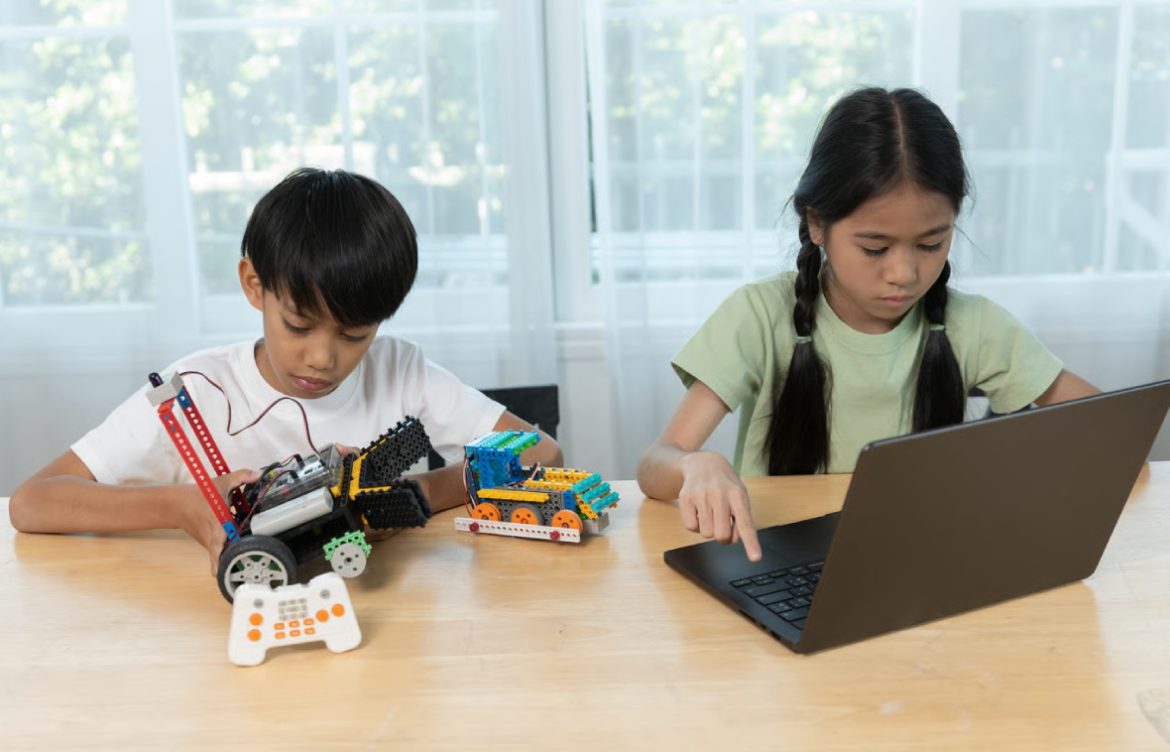
6. Coding with Physical Devices
Platform Suggestions: micro:bit, LEGO Robotics, Arduino
Activity Idea:
- Program a micro:bit to display messages or control LEDs
- Build a small robot and code it to move, turn, or avoid obstacles
Learning Outcomes:
- Hardware and software integration
- Problem-solving with real-world applications
- Basic electronics concepts
Tip: Hands-on coding boosts engagement and makes abstract concepts tangible.
7. Animation Challenges
Platform Suggestions: Scratch, Blockly
Activity Idea:
- Animate a character to perform a dance, jump, or interact with objects
- Experiment with loops and timing for smooth movement
Learning Outcomes:
- Timing and sequencing
- Event-driven programming
- Creative expression
Tip: Encourage kids to share animations online with friends or the Scratch community.
8. Build a Personalized Website
Platform Suggestions: HTML & CSS, Glitch, CodePen
Activity Idea:
- Create a portfolio page, blog, or favorite hobby website
- Add text, images, colors, and links
Learning Outcomes:
- Understanding web structure (HTML) and styling (CSS)
- Creativity in design
- Introduction to front-end web development
Tip: Start with a single-page website and add more features gradually.
9. Puzzle Coding Challenges
Platform Suggestions: Lightbot, CodeCombat, Codewars (for older kids)
Activity Idea:
- Solve coding puzzles that teach loops, functions, and conditional statements
- Compete with friends to complete challenges faster
Learning Outcomes:
- Algorithmic thinking
- Debugging skills
- Logical reasoning
Tip: Keep challenges short and fun, gradually increasing complexity.
10. Collaborative Coding Projects
Platform Suggestions: Scratch, Tynker, GitHub (for older kids)
Activity Idea:
- Work with friends to create a game or animation together
- Assign roles: design, coding, sound, and testing
Learning Outcomes:
- Teamwork and communication
- Version control (older kids)
- Problem-solving and project planning
Tip: Encourage kids to share their work and give feedback to each other.
Tips for Parents and Educators
- Encourage exploration: Let kids experiment and try new ideas
- Keep sessions short: 20–45 minutes to maintain focus
- Celebrate small wins: Praise completed projects to boost confidence
- Provide support, not answers: Encourage independent problem-solving
- Mix offline and online activities: Combine board games, puzzles, and hands-on coding
Conclusion
Coding activities for kids are a fun and effective way to learn programming. From building games and websites to animating stories or programming robots, these activities develop critical thinking, creativity, and problem-solving skills. By starting with engaging, age-appropriate projects, kids gain confidence and develop a lifelong interest in coding and technology.